

The firewall that stops attacks before they reach your website
SecureWeb’s firewall runs on your own server, in front of your website. It stops hacking attempts before they reach your site, and shows you in plain words every attack it stopped.
- No credit card
- Your website stays up if you don’t subscribe
- Removed with one command

What it stops
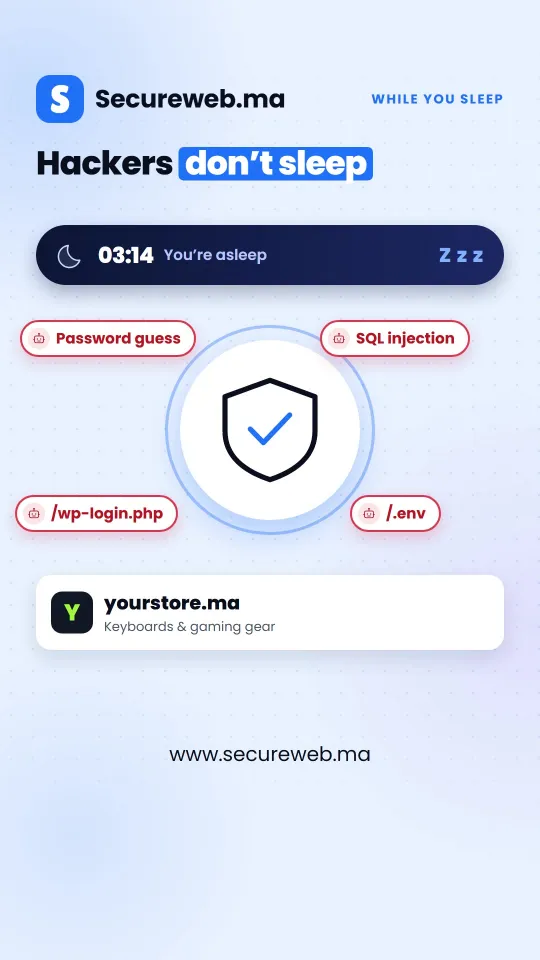
A real web application firewall, not a plugin: an attack is refused before your website’s own code even runs.
Hacking attempts
SQL injection, cross-site scripting, command injection and the other attacks sent to your forms and pages, checked against a maintained industry rule set.
Break-ins on your admin pages
Lock /wp-admin or any other page to your own IP addresses, to a password, or both. Everyone else is refused.
Scanners and password guessing
Vulnerability scanners and password-guessing tools are recognised and stopped. Addresses that keep coming back can be held automatically.
Floods and scrapers
A limit on requests per minute for each address stops one visitor from flooding your website.
Files that should stay private
Database dumps, copies of wp-config.php, .env files and .git folders can’t be downloaded, even when an attacker guesses their names.
Anyone you choose
Block an address, a whole range or a bad bot in one click. The rule reaches your server within seconds.
Up and running in minutes
- Sign in with Google No card and no contract.
- Run one command on your server Copy it from your dashboard. The installer finds how your website is served and backs up every file it touches.
- Read the log, then turn blocking on The firewall starts by only watching, so you see what it would block before it blocks anything.
$ curl -fsSL https://agent.secureweb.ma/install.sh | sudo bash -s -- --token YOUR-TOKEN
What you see
A dashboard written for website owners, not for security experts. It works on a phone too.

A plain answer
Is your website protected right now? The first line of the dashboard says so, with a button to fix it when it isn’t.
Every attack, as it happens
A live log of what was stopped: the address, the country, what was tried and what happened.
Your website’s health
We check your website from outside every few minutes and email you if it goes down, or two weeks before your SSL certificate expires.
It can’t take your website down
- After installing, it checks your home page and login page, and undoes everything by itself if anything changed.
- It keeps protecting your website even if our servers can’t be reached.
- If something unexpected happens inside it, it lets the visitor through instead of blocking them.
- One command removes it and puts your server’s configuration back as it was.
Will it work on my website?
Yes, if your website runs on a server you control:
- Linux, such as Ubuntu 18.04 or newer, Debian 10 or newer, or AlmaLinux and Rocky 8 or newer
- nginx or Apache, with or without HestiaCP, Plesk or cPanel
- Someone who can run one command with sudo
- WordPress or any other website, and several websites on the same server
Not for shared hosting, Wix or Shopify. For those, a penetration test still shows where your website is weak.
Price
30 days free
Then $20 a month or $199 a year for each website.
- No card needed for the trial
- The 30 days start when your website is connected, not when you sign up
- If you don’t subscribe, your website keeps working
- Pay by card, and cancel whenever you like
Questions
Do you need access to my server?
No. You run the install command yourself, and the firewall connects out to your SecureWeb dashboard. We never ask for your server’s password.
Will it slow my website down?
It runs on your own server as one small program, so your visitors’ requests don’t take a detour through another company’s network. An address that is held after attacking costs almost nothing to turn away, so an attack doesn’t slow your website down for real visitors.
Can I protect several websites?
Yes. One firewall protects every website on the same server, and each website has its own settings, history and plan.
What happens if I stop paying?
Your website keeps working. What you set by hand stays on, such as a password on your admin pages and your block list; automatic attack blocking pauses until you subscribe. Removing the firewall takes one command.
Is a firewall enough on its own?
It blocks known kinds of attack every day, but it can’t fix a weakness inside your website, such as a broken login or a page that shows other customers’ data. A penetration test finds those.
Try it free for 30 days
No card, nothing to sign. If it isn’t for you, one command removes it.
Questions? Contact us